Pie Plate – MIDI Chord Splitter
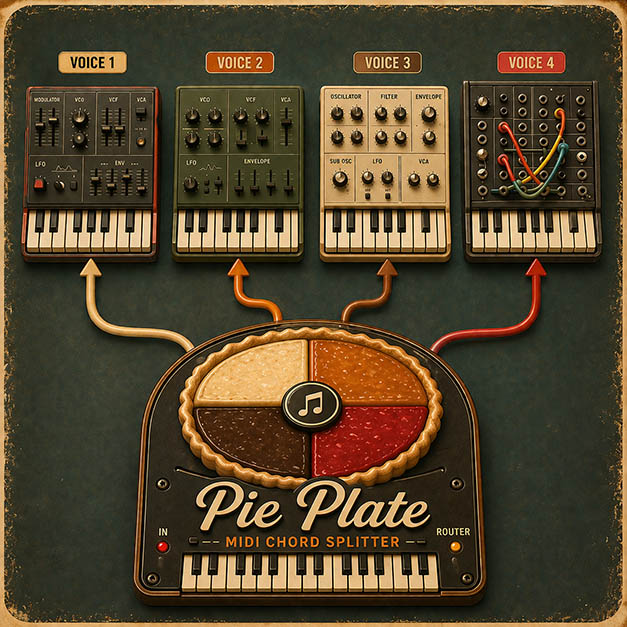
Intelligent MIDI Voice Router / Chord Splitter for Ableton Live. $19.
A Max for Live device that turns your collection of mono synths (or plugins) into one giant playable polysynth (or insane monosynth, or, many other things…)
Why I built it
There are free MIDI splitters for Max for Live. I tried them. None of them did the one thing I actually needed: stable voice assignment.
When you play a chord, your fingers don’t land at exactly the same time. Notes arrive nanoseconds or milliseconds apart, in whatever order. Free splitters take notes as they arrive, so the lowest note of your chord ends up on a different synth every time you play. That makes consistent layered sounds impossible.
Pie Plate fixes this. In stable mode:
- Lowest note of the chord → always Synth 1
- Middle note → always Synth 2
- Highest note → always Synth 3
- …up to 16 voices
Voice assignment can be determined by pitch order, not arrival order. That’s what I needed, so I built it (and more).
Put the chord on the plate. Pie Plate handles the portioning.
Pie Plate revoices on note-off as well as note-on, with count-safe release tracking, so releasing one voice doesn’t shuffle the others.
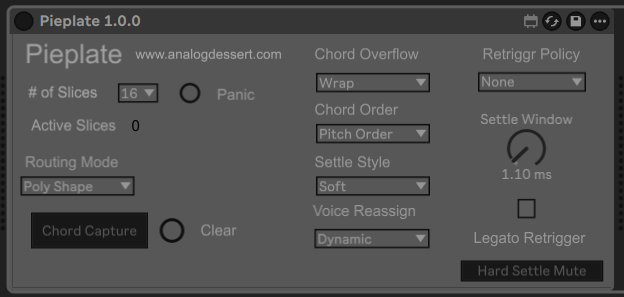
15 routing modes for different musical situations:
| Mode | What it does |
|---|---|
| Simple Poly | (Common) First free voice, steal oldest when full |
| Poly Shape Stable | Sorted by pitch, lowest to voice 1 |
| Stack All | Every voice plays the same note (unison) |
| Chord Position | Positional voicing with optional play-order sorting |
| Round Robin | Forward, ping-pong, or reverse |
| Key/Velocity Zones | Voice by pitch and velocity range |
| Random | Pure Pure, No-Repeat Random, low-bias, or high-bias |
| Chord Memory | Capture a chord, trigger from one finger |
| Minimal Movement | Smooth voice leading for sustained pads |
| Legato Duophonic | Lowest note = bass, highest = lead |
What you can do with it
Turn monosynths into a polysynth. Play chords across a rack of monos. Each note gets its own voice with its own envelope, filter, and FX.
Build evolving pads where each note goes to its own polysynth. Slightly different patch on each voice. One chord becomes a moving texture instead of a flat block.
Stack up to 16 soft synths into a super-synth. One keyboard, every note going to a different instrument.
Bass + lead splits. Lowest held note routes to your bass synth, highest to your lead. Musical retrigger when the extremes change.
One-finger chord memory. Capture a voicing, then trigger the whole chord from any single key. Fast for performance and writing.
Massive unison. Send one note to every voice at once for huge stacked leads.
Round-robin or random spreading. Rotate notes across voices for movement and variation, so the same note doesn’t hit the same synth every time.
Requirements
- Ableton Live 11 or 12
- Max for Live
- Windows or macOS
Get Pie Plate
$19. Includes the main router device, 16 satellite voice devices, and full PDF documentation.